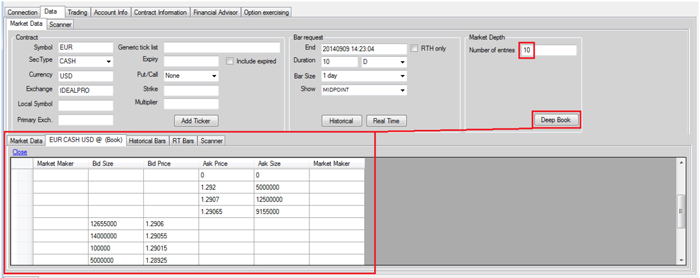
Market depth is provided via the reqMktDepth method. Updates are delivered via the updateMktDepth and updateMktDepthL2 callbacks, depending on whether or not the market maker is available. The reqMktDepth method lets you specify the number of rows of date to receive. Depending on the volatility of the market, the product in question may or may not have the specified amount of entries.
Using IBSampleApp, you request market depth by entering the number of rows (entries) in the Market Depth section of the Market Data tab, and then click the Deep Book button.
In the example above, ten entries were requested. However, since the EUR.USD product is highly volatile, only a few are returned.